Follows your voice.
Speech recognition on your Mac, not a timer.
TalkPatch follows your voice, not a timer. Speech recognition on your Mac, prompter text over the camera image, a ring light from the screen, remote, Stream Deck and an inbox your agents can drop scripts into. No account, no cloud.
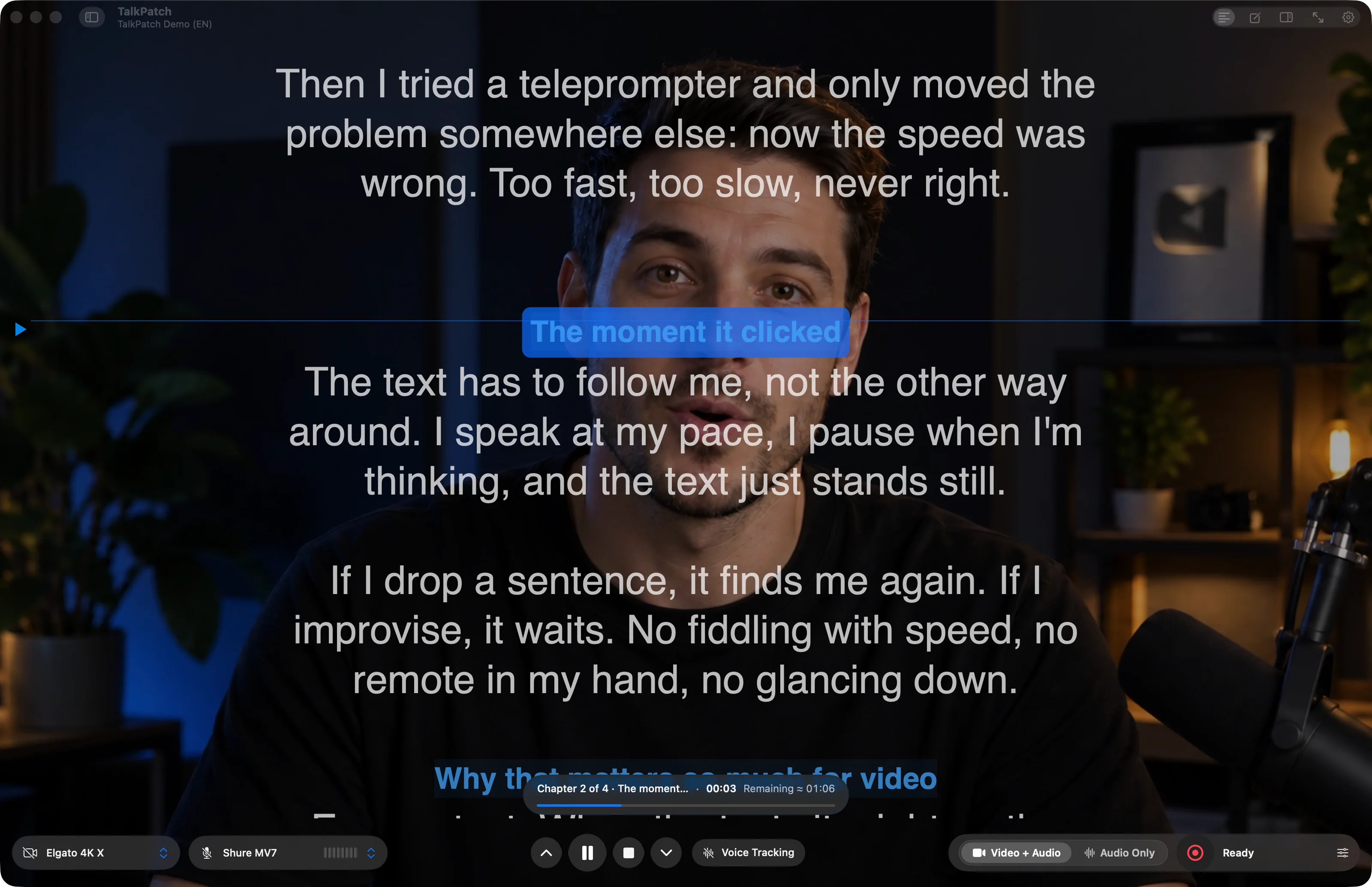

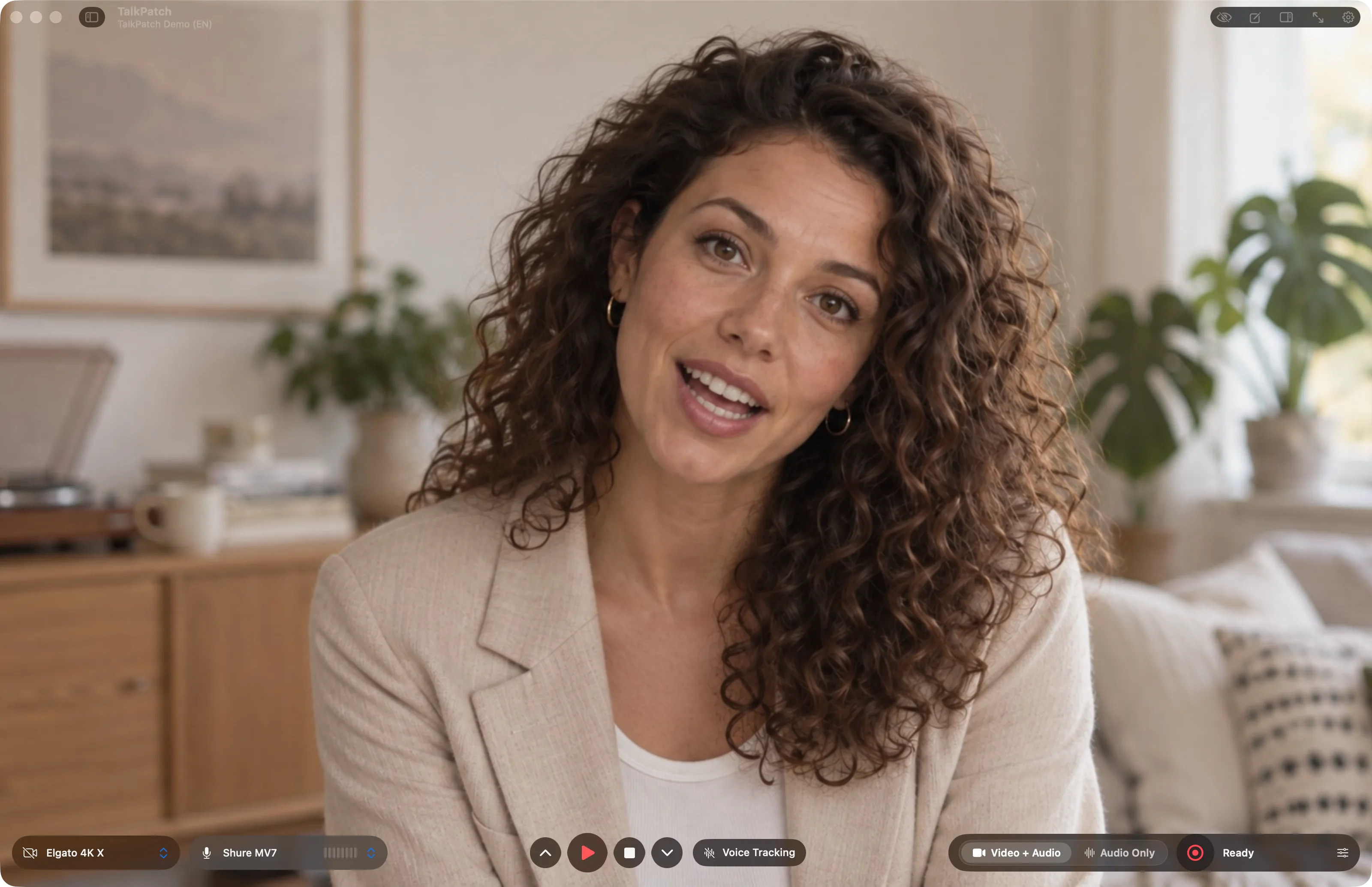
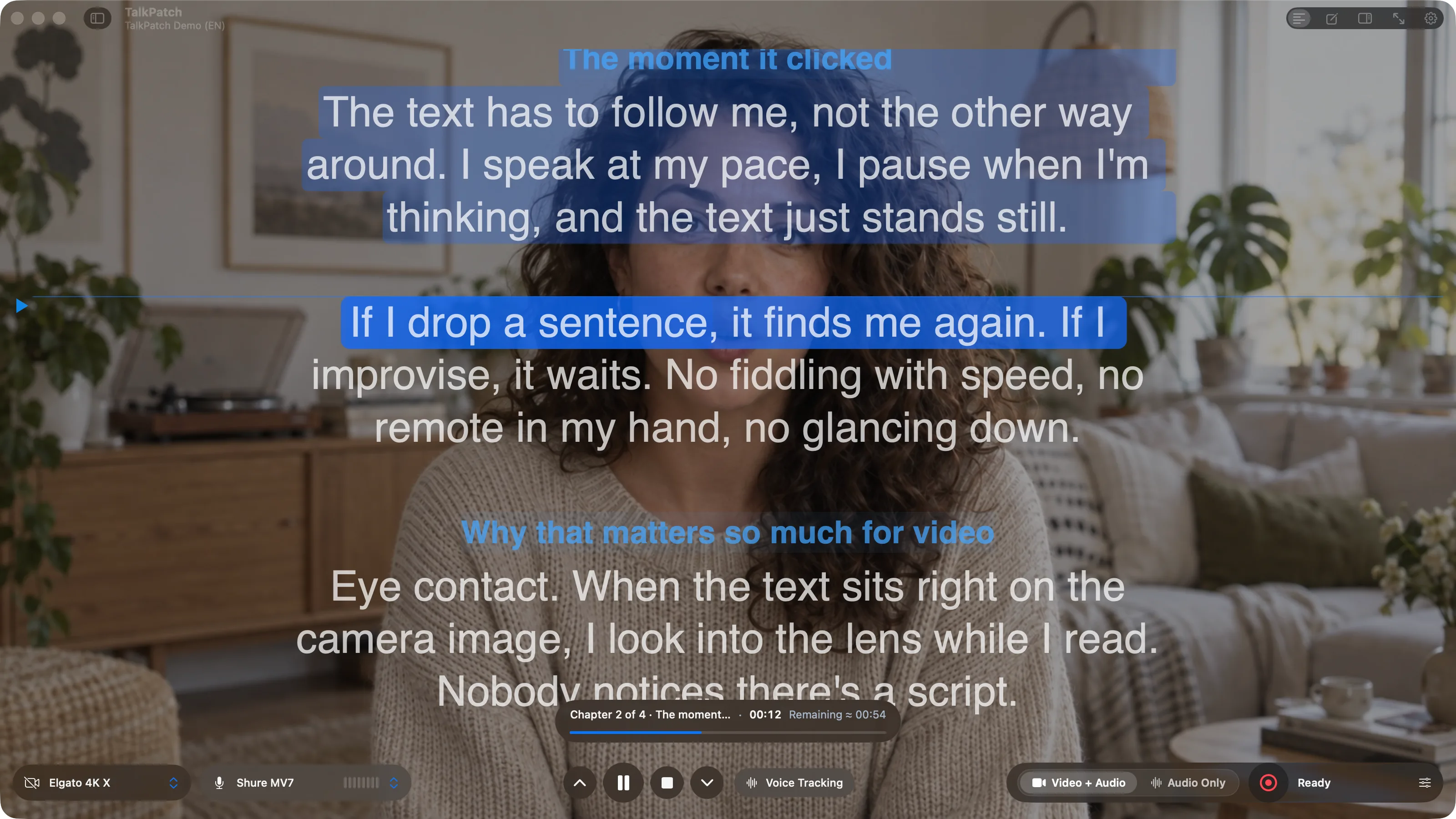
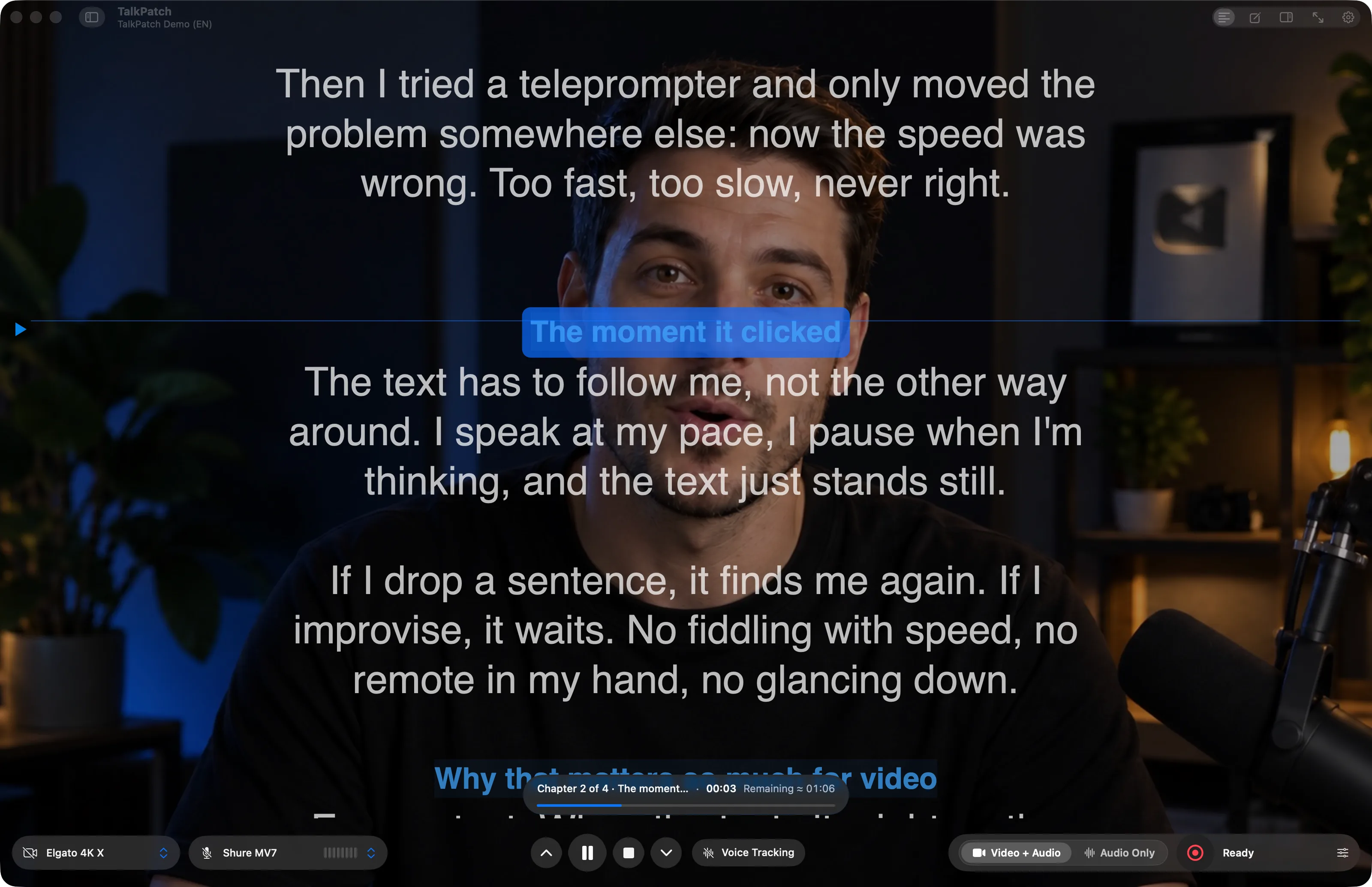
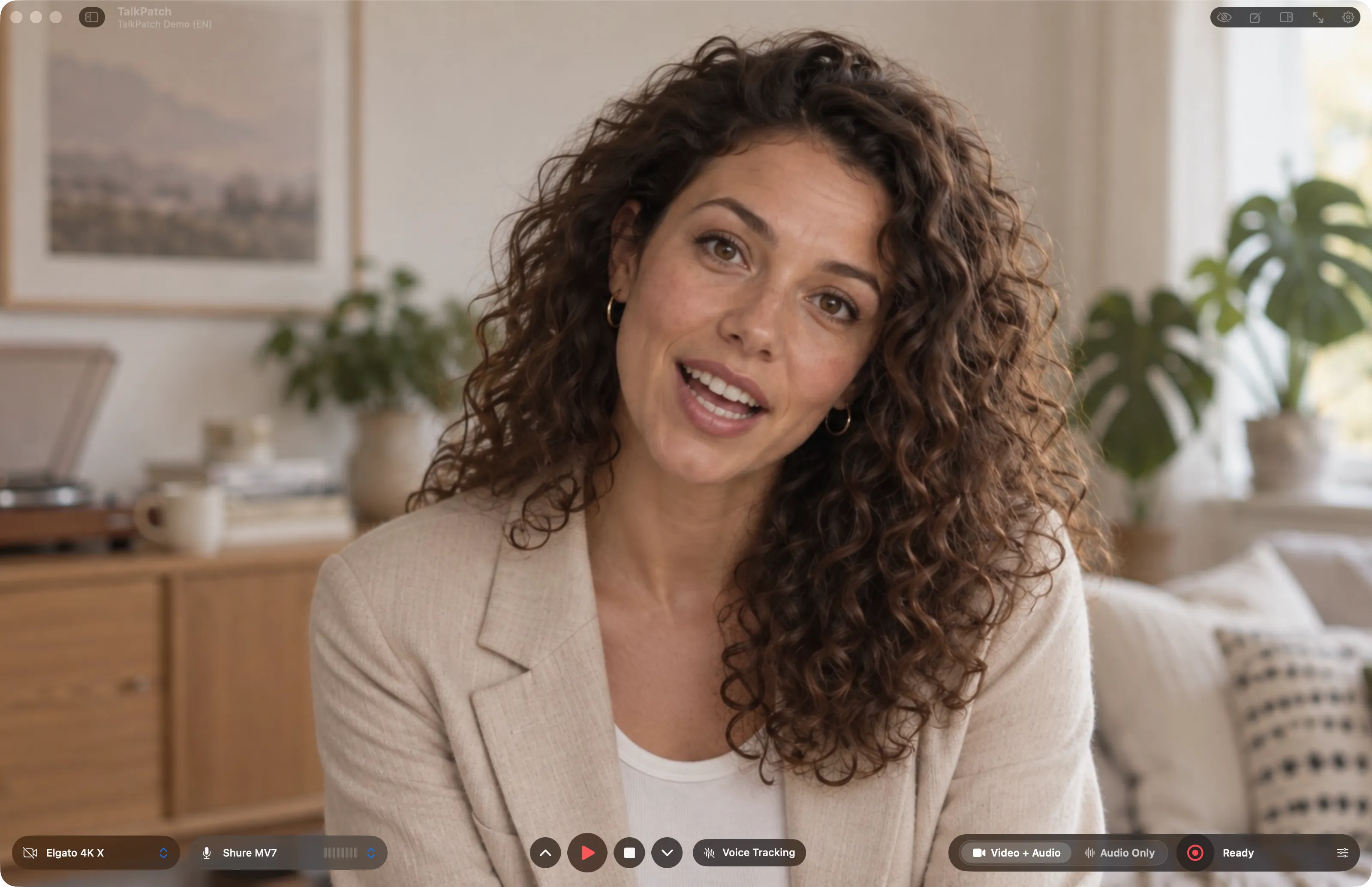
Prompter text on the stage, the reading line across it, studio bar with camera, microphone, transport and recording. This is the actual app.
Speech recognition on your Mac, not a timer.
You look into the lens and read anyway.
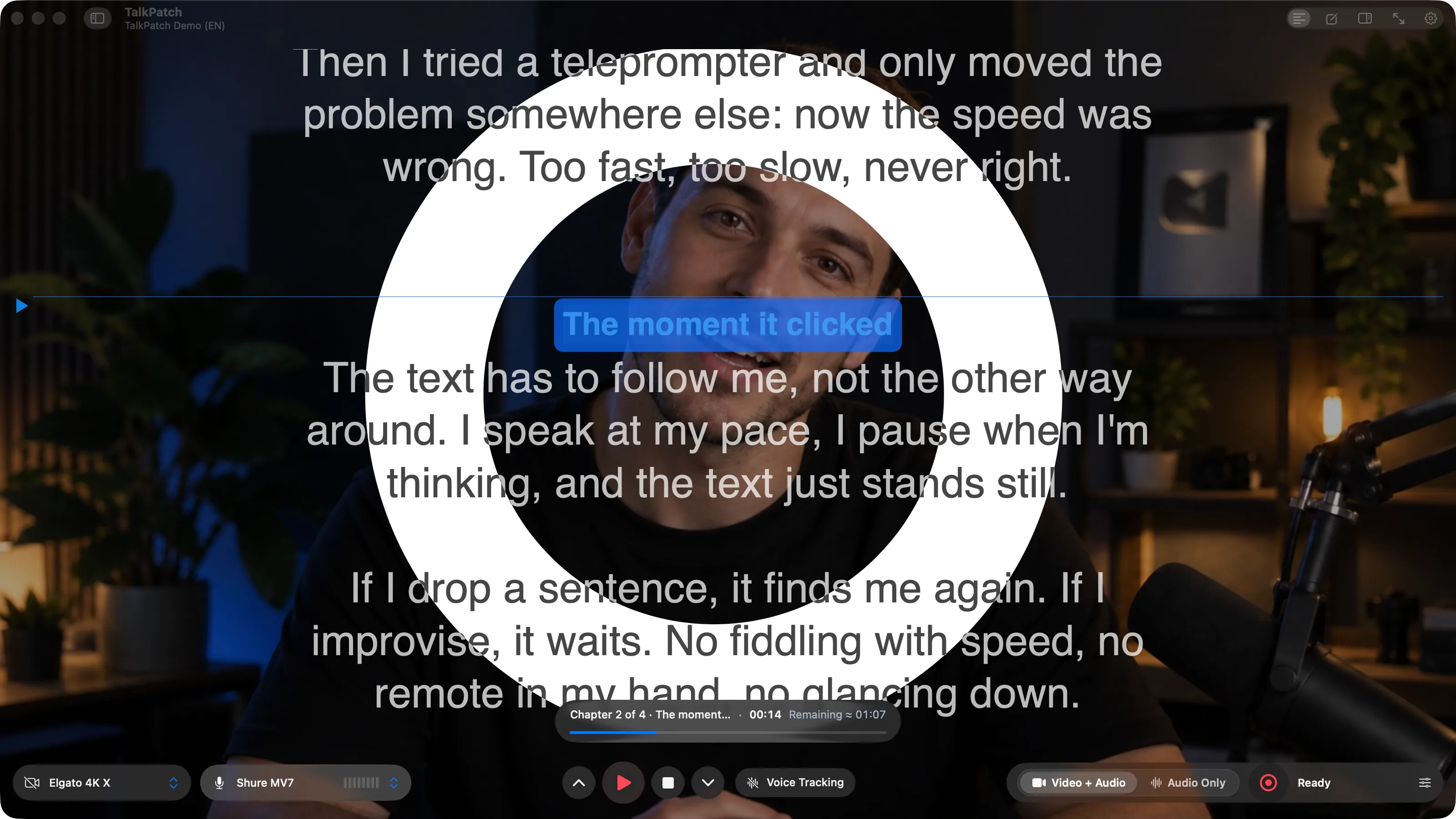
No lamp on the desk.
The text right under the camera.
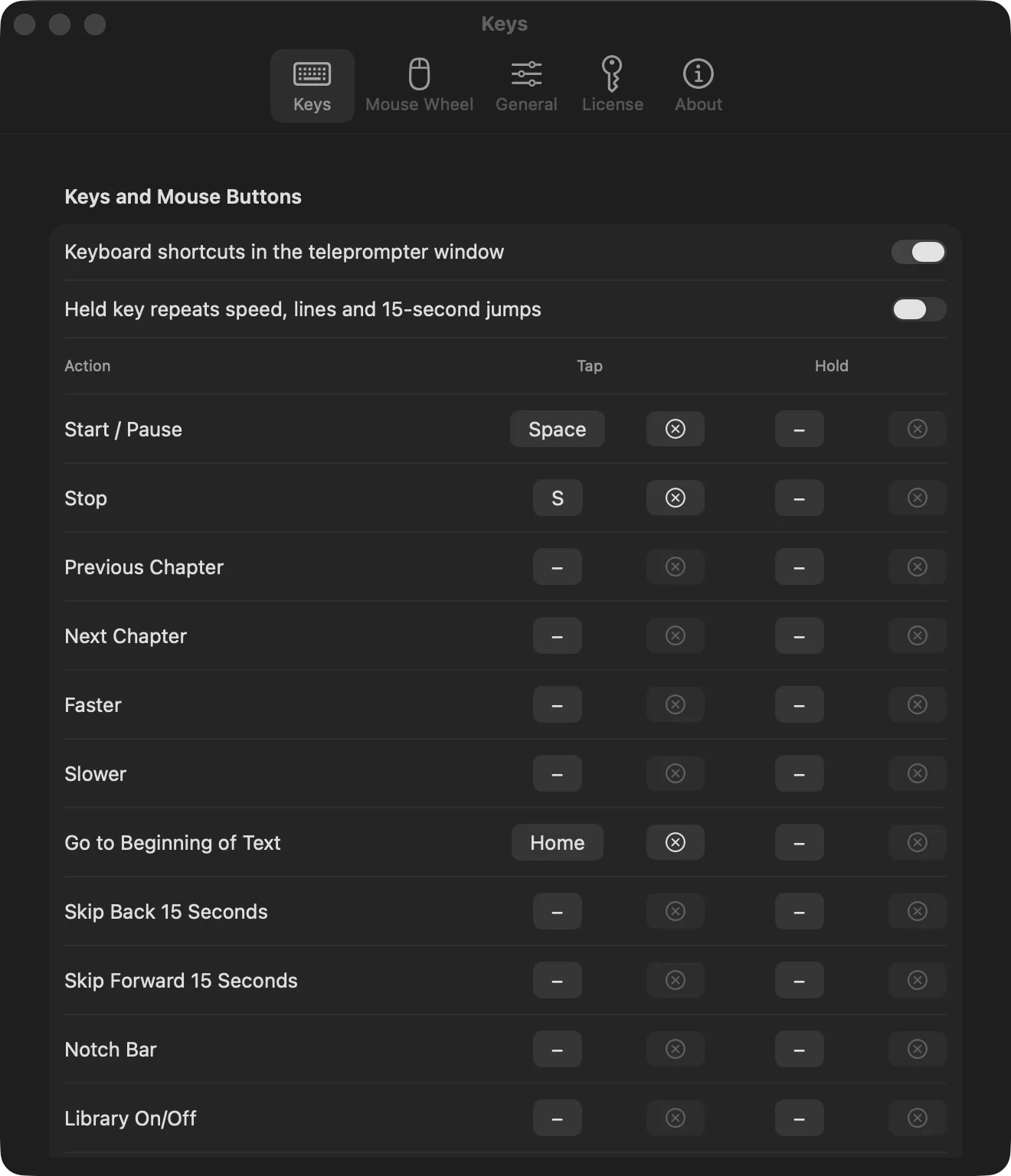
Remote, keys, Stream Deck.
Better Prompter
No speed to set, nothing to nudge. TalkPatch recognizes your words on the Mac and moves the reading line the moment you move on. Pause, and the text waits.
Voice tracking
Skip a sentence and the text finds you again. Improvise and it waits. All of it runs on your Mac.
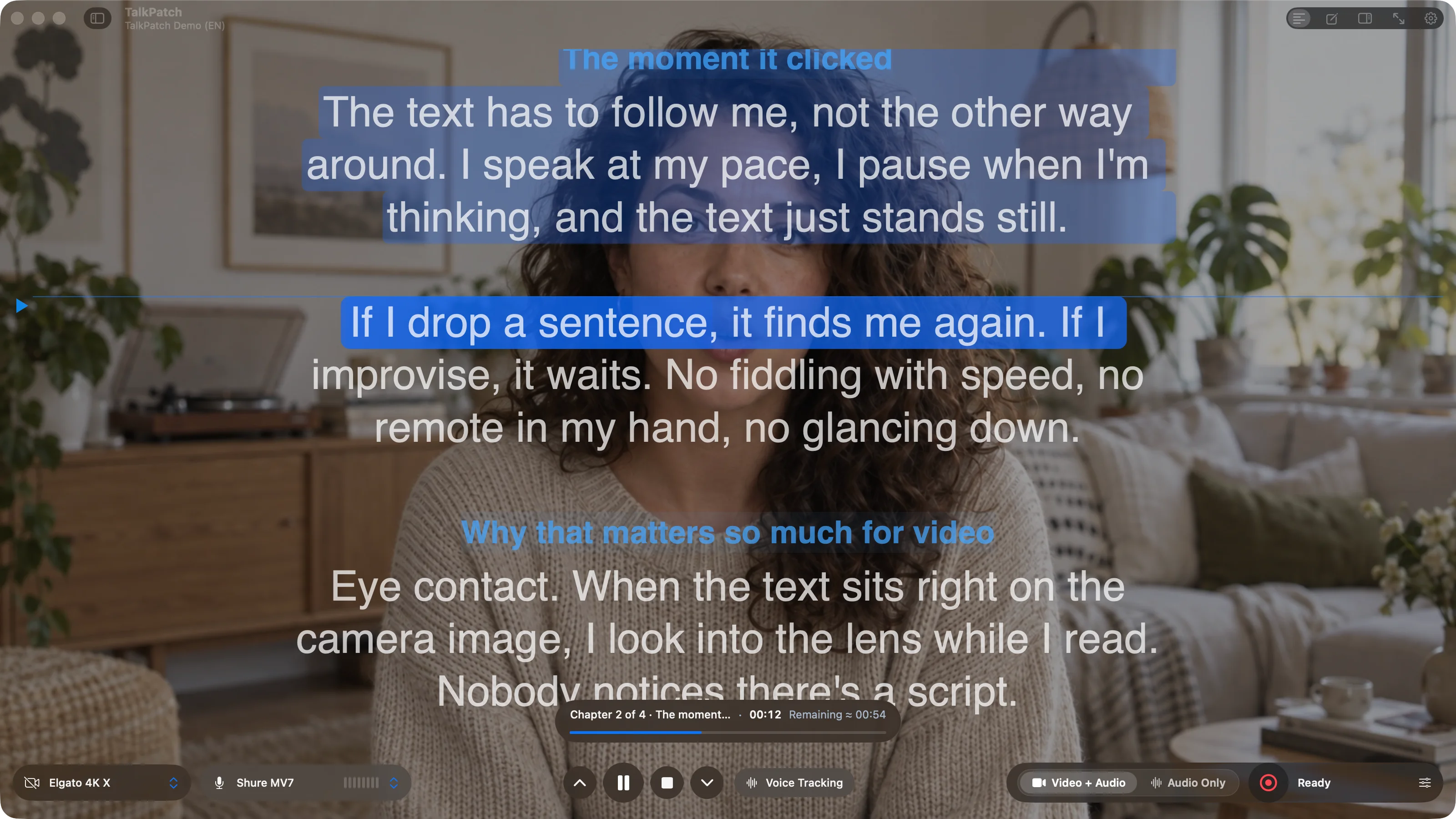
Highlight the line, the word or how far you have read.
Nemotron, Parakeet, Cohere and Apple. Download once, then it works offline.
Chapter headings and stage directions are never expected and never marked.
Lead-in and lead-out, where scrolling starts, smoothing, and whether the line, the word or your progress is marked.
Prompter text on camera
The camera image sits behind the text, not beside it. Dimming decides how much of the picture comes through. Text and camera flip separately.
Camera behind the text, dimming as you like it. Eye contact stays.
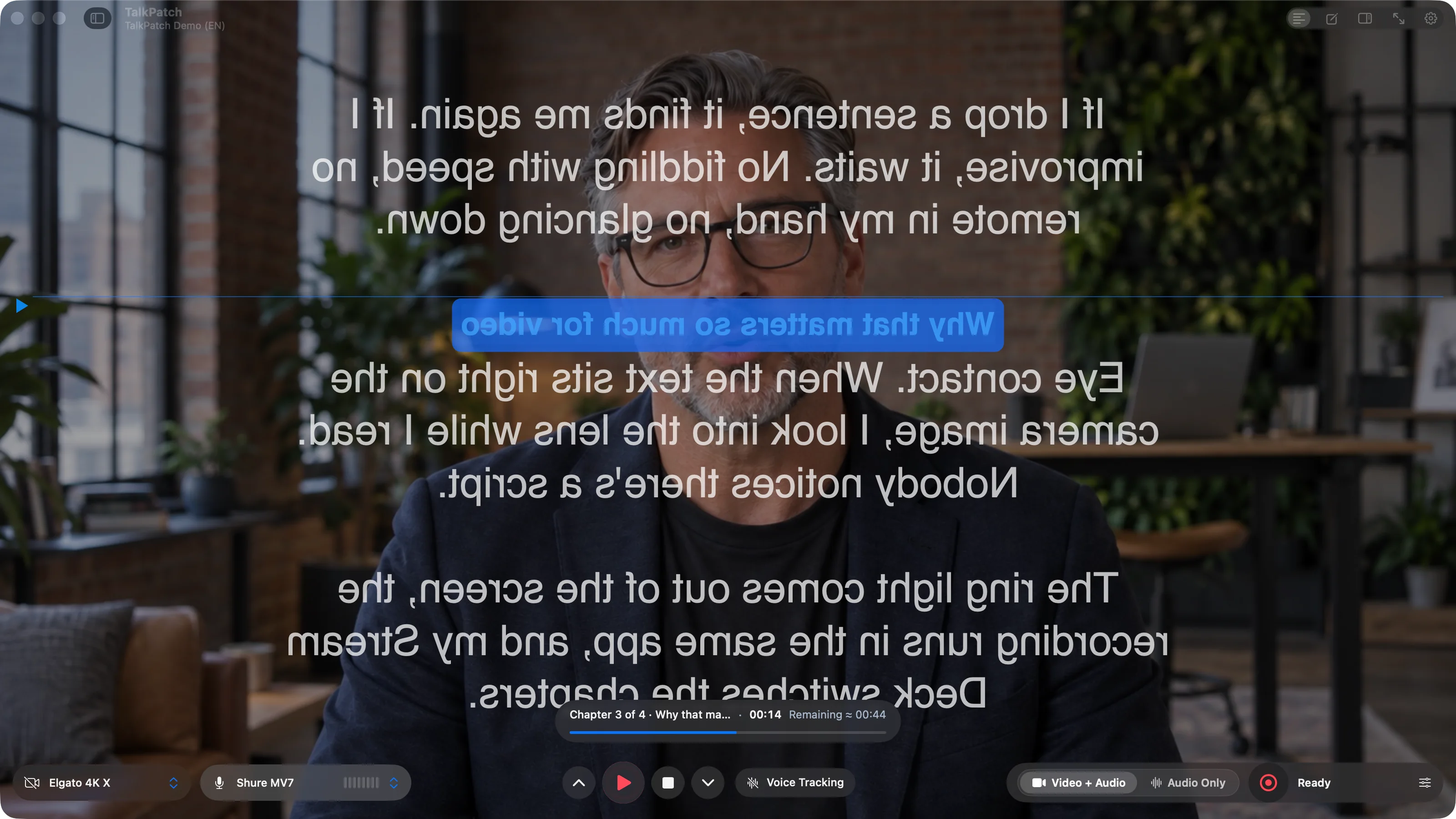
Text flipped, camera untouched: exactly what a prompter mirror in front of the lens needs. Each one flips on its own.
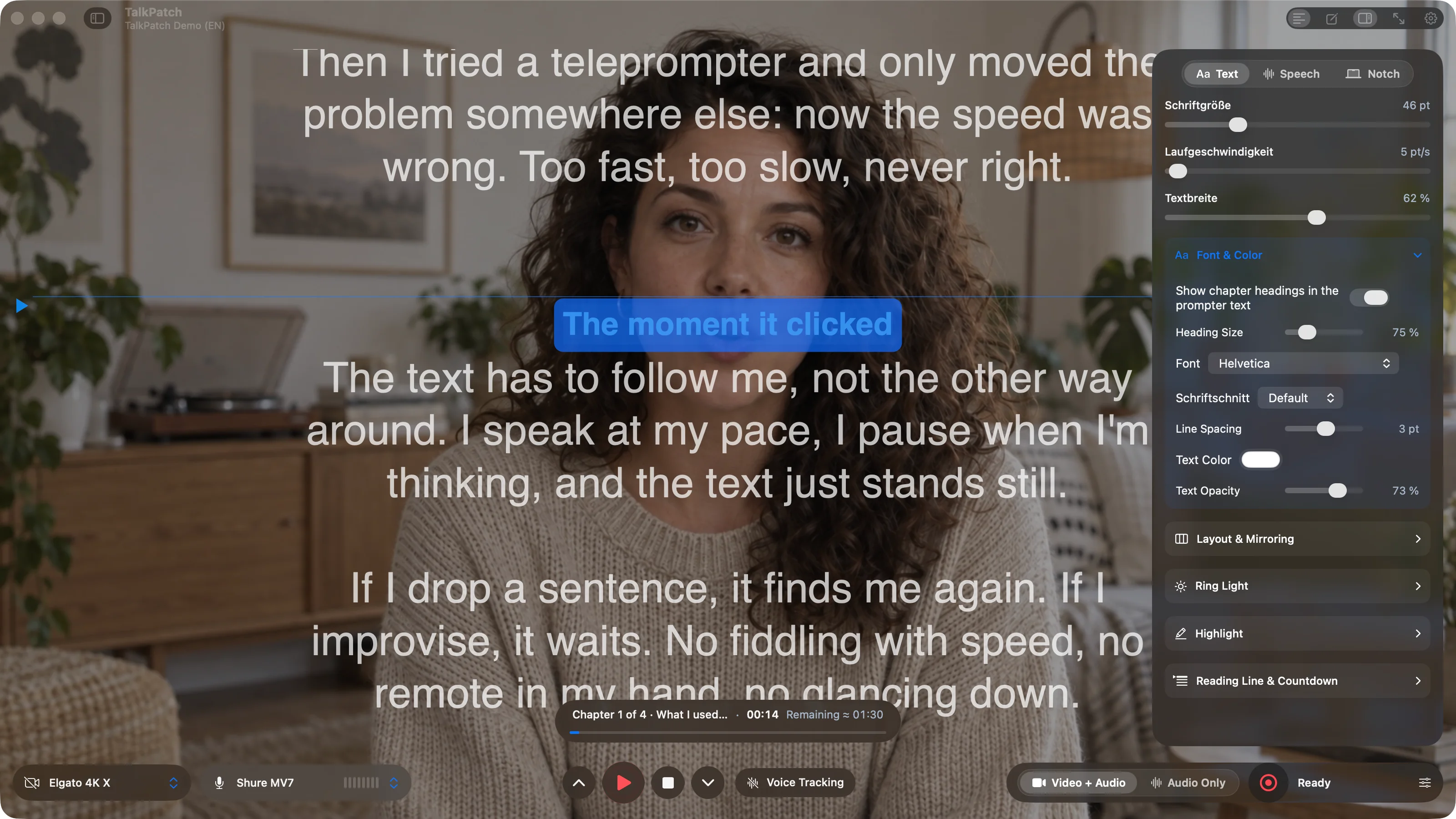
Inspector → Text: font, width, mirroring, dimming, ring light, highlighting, reading line.
Built-in, USB, capture card, iPhone, OBS.
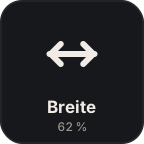
Text and camera image, each horizontally or vertically, for prompter mirrors and the selfie look.
Font family and weight, line spacing, text width, margins, alignment, justified text, ticker.
Ring light
A white ring on the stage lights your face while the text keeps running. Drag it to wherever the camera sits, then lock it.
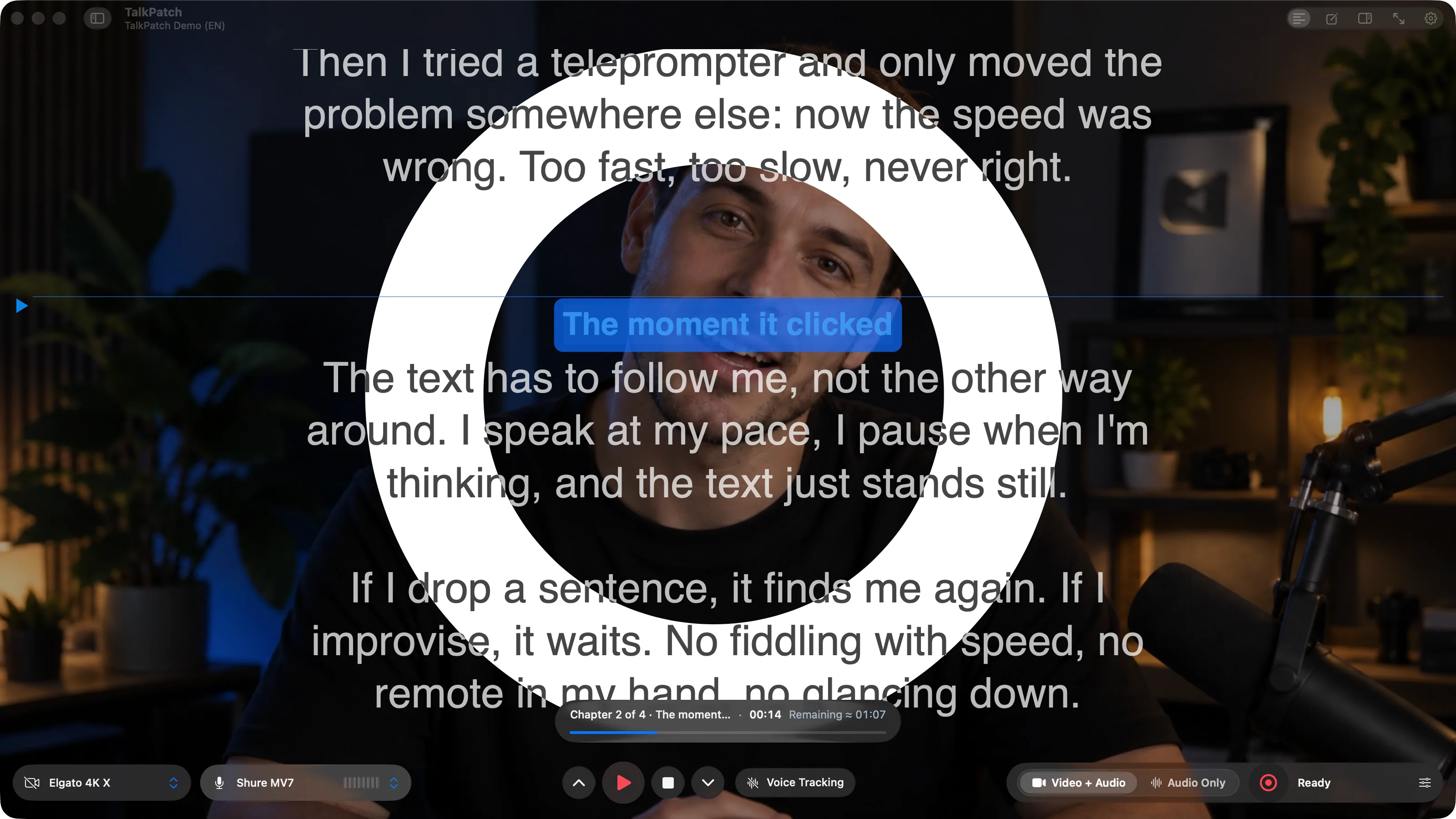
Round, 100% size, 130 pt wide. The text inverts only where it crosses the ring.
Drag it by the band, resize it by the handle, push it past the edge.
Black on the ring, white beside it. The camera image stays untouched.
Key, menu or Stream Deck.
Scripts, chapters, directions
Two characters do the whole job: ## starts a chapter, > marks a stage direction. That one lives in the editor, never in the prompter text.
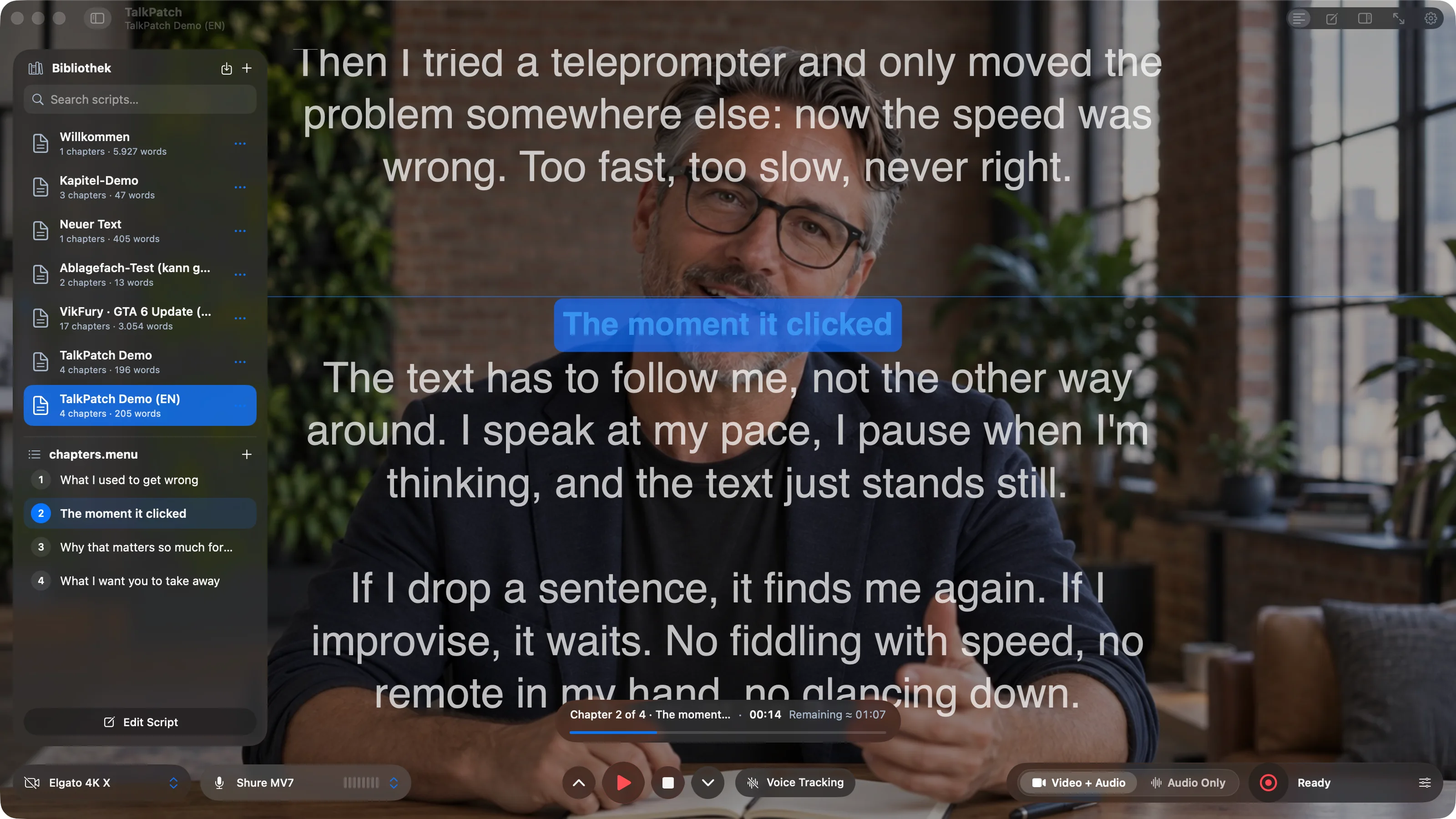
Scripts panel (⇧⌘L): library on top, chapters of the current script below.
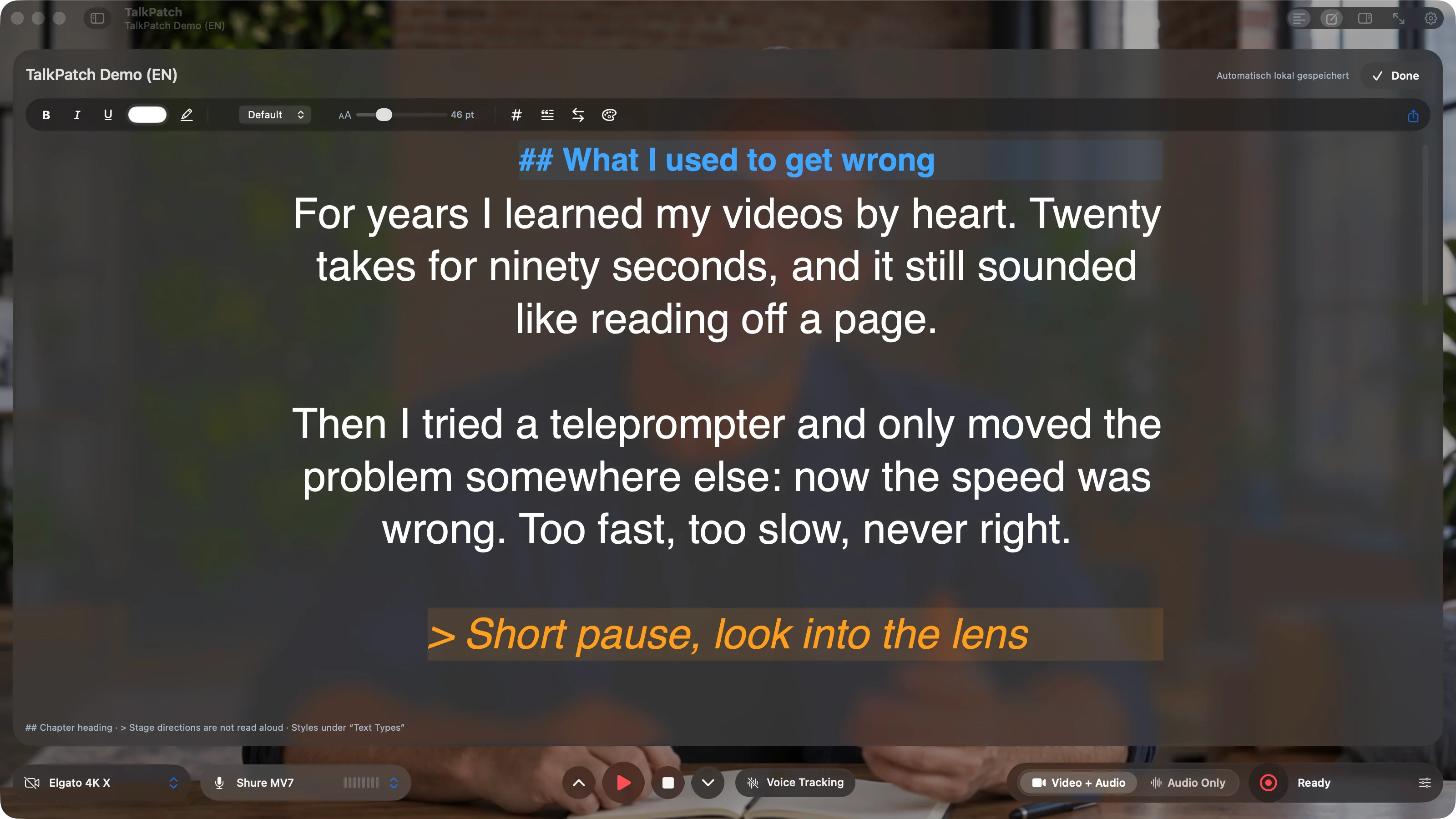
Editor (⌘E): same font and width as on the stage, stage directions set off in color.
Search, autosave, chapter list. Jump to a chapter by key, remote or Stream Deck.
Bold, italic, color, real font weights, in prompter look.
Headings and stage directions with their own color, size and background.
Recording
Camera and microphone straight to MOV, or audio alone as WAV and MP3. A red frame blinks while you record, orange when you pause.
H.264, HEVC or ProRes Proxy, LT, 422, HQ and 4444. 720p to 4K.
WAV or MP3 from the selected microphone, even with the camera switched off.
A red frame while recording, orange on pause, with "RECORDING PAUSED".
Studio bar
Bottom, top, left or right. On the sides it turns into a narrow icon column. Scripts and Inspector float above the stage.
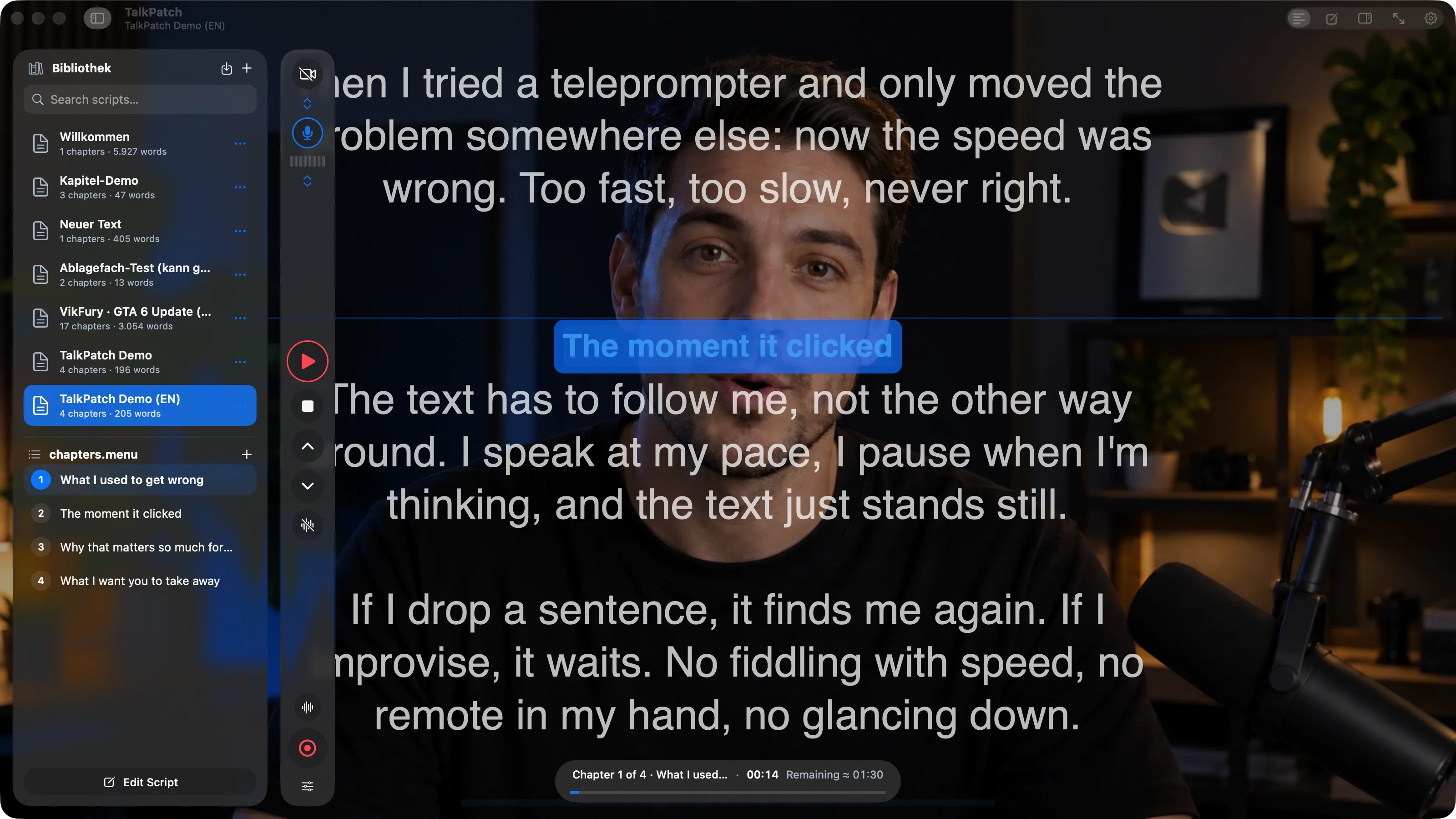
Column on the left: devices on top, transport in the middle, recording at the bottom.
Prompter text blue, recording red. Devices that are on wear a ring.
Camera and microphone with selection and a real level meter, right in the bar.
For the recording, with panels and bar still in reach.
Notch bar
A bar right under the camera shows the text that is coming. The main window can stay shut, for calls and presentations.
Start/pause, chapter, pin, off.
Width, font size, word count and display. It respects Reduce Motion.
Otherwise at the top of the current screen.
Keys, remote, Stream Deck
Every action has two fields. One key pauses the recording when you tap it and starts it when you hold it. Bluetooth remotes register as a keyboard.
Assign Desview and other Bluetooth remotes the way you assign a keyboard.
Plugin for the MK.2 and Stream Deck +, tiles with live state.
Speed, font, width, chapter and ring light on the dials, touch strip with the values.
For agents
Drop a Markdown file into the inbox and it is in the library. A local API controls the script, the chapters and the prompter text.
# My video

## Intro
Hello and welcome. Today it's about three things.

> Camera: close, smile

## Main part
First: the text follows your voice.POST /v1/commands
{"commands": [
{"name": "selectScript", "value": "…"},
{"name": "setChapter", "value": 2},
{"name": "perform", "value": "togglePlayback"}
]}Markdown with ## and > goes in, TalkPatch takes it as a script with chapters.
Switch scripts, jump to a chapter, start the prompter text, toggle the ring light.
Voice tracking on your Mac, German and English
Prompter text on the camera image
Ring light from the screen
Recording up to ProRes 4444
Notch bar under the camera
Tap and hold on every key
Stream Deck plugin
Inbox and API for agents
Two Macs, no subscription
Yes. Camera, microphone, speech recognition and scripts stay on your Mac. There is no account and no cloud. You need the internet once, to download a speech model.
German and English with Nemotron and Apple, plus more than twenty others with Parakeet TDT v3 and Cohere. You pick the model right on the voice tracking chip in the studio bar.
No. Voice tracking does the nudging for you. If you want one anyway: Bluetooth remotes like the Desview register as a keyboard and can be assigned freely in the settings, with tap and hold.
With anything macOS treats as a camera: the built-in one, USB webcams, capture cards, Continuity Camera from your iPhone, OBS Virtual Camera. Recording captures the camera plus the selected microphone as MOV.
No, it is an extra. The plugin is included and controls start, chapters, lines, speech, ring light, recording, speed, font and width, with dials as well on the Stream Deck +.
49 € at launch, 79 € after that. No subscription. One license covers two Macs and every update within version 1. Try it free for 7 days first; after that TalkPatch needs a license. Your scripts and settings stay.
One license, two Macs, every update within the major version. The Stream Deck plugin is included.
Current version 1.0.0 · Release history
Sound to match the picture. NoicePatch routes every app, every microphone and every output on your Mac: 14 studio filters named in plain language, its own equalizer with a live spectrum, voice isolation and a Stream Deck plugin. If TalkPatch puts you in front of the camera, NoicePatch is what your microphone runs through. One-time purchase, no subscription, all local.
The manual covers the quick ones, email covers the rest. For bugs, send your macOS version and a screenshot if you have one.